
RAID 0 Backed by Versioned Backup: RAID 0 with Versioned Backups — Is RAID 0 Safe?
RAID 0 is all about speed. It stripes data across drives to boost performance, but it has no redundancy. If one drive fails, all data is lost.
Versioned backups, on the other hand, keep multiple recovery points. They protect against file loss, corruption, or accidental deletion.
So the question is clear: does pairing RAID 0 with versioned backups make it safe enough to use? This article breaks down the risks, benefits, and whether this combo is a smart choice or still too risky.
Executive Conclusion: RAID 0 is Acceptable Only with Disciplined Versioned Backups
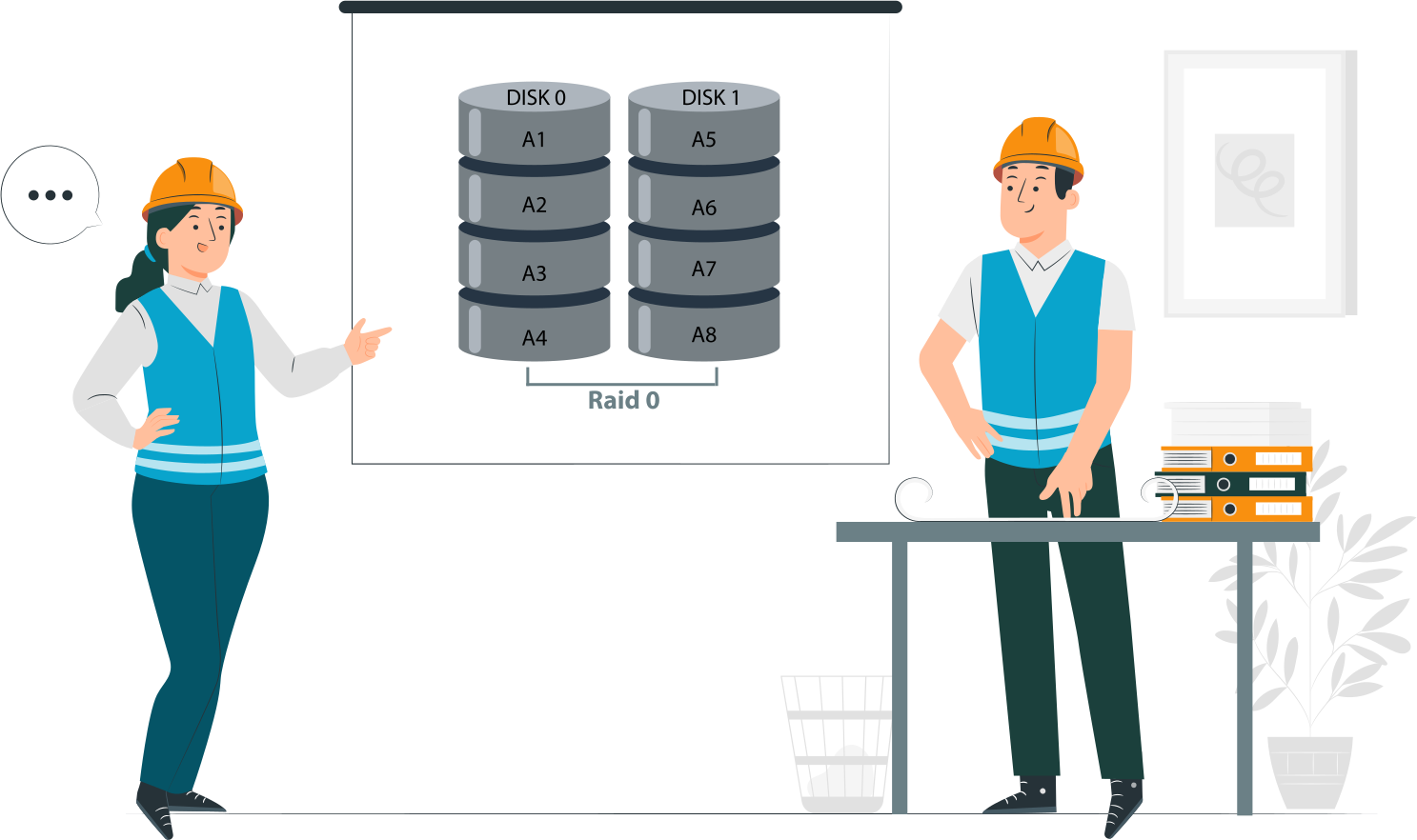
- RAID 0 offers performance, not protection. Striping boosts speed, but it provides no redundancy. A single drive failure means total data loss.
- Versioned backups change the risk profile, not the failure rate. Backups don’t make RAID 0 more reliable; they only reduce the impact of failure by giving recovery points.
- Safety depends on backup design, not on RAID itself. The effectiveness of RAID 0 in practice hinges entirely on how disciplined and well‑structured the backup strategy is. Without strict versioning and verification, RAID 0 remains unsafe.
What RAID 0 Actually Protects — and What It Never Will
What RAID 0 Does Well
- Maximum throughput. RAID 0 stripes data across all available drives, splitting files into blocks and writing them in parallel. This design removes bottlenecks and delivers the highest possible sequential read and write speeds. For workloads like video editing, large file transfers, or scratch disks, RAID 0 can outperform any single drive setup.
- Low latency. Because multiple drives are accessed simultaneously, RAID 0 reduces wait times when retrieving data. Applications that rely on fast access to large datasets—such as rendering, caching, or gaming—benefit from this responsiveness.
- Full capacity utilization. Unlike RAID levels that reserve space for parity or mirroring, RAID 0 uses 100% of the combined drive capacity. Two 2 TB drives in RAID 0 give you 4 TB of usable space, with no overhead for redundancy. This makes it attractive for users who want maximum storage efficiency alongside speed.
What RAID 0 Never Protects Against
- Single‑disk failure. RAID 0 has no redundancy. If one drive fails, the striped data is incomplete and the entire array collapses. Recovery is nearly impossible without external backups. This is the most critical weakness of RAID 0.
- Silent corruption. RAID 0 cannot detect or correct bad sectors, bit rot, or silent data corruption. If corrupted data is written to the array, it will be striped across drives and stored as‑is. Without checksums or error correction, corruption spreads unnoticed until files become unusable.
- Controller or metadata loss. RAID arrays depend on controller metadata to know how data is striped. If the RAID controller fails or metadata becomes corrupted, the array may be unreadable even if all drives are intact. Unlike RAID levels with redundancy, RAID 0 offers no fallback mechanism to rebuild or reconstruct the array.
Is RAID 0 Safe with Versioned Backup?
The Short Answer
- Safe for data you can restore. If every critical file is covered by disciplined, versioned backups, RAID 0’s lack of redundancy is less of a threat. You can recover lost or corrupted data from backup snapshots.
- Unsafe for data you cannot recreate. Any data not included in backups—or data that changes faster than your backup schedule—remains at risk. Once lost, it’s gone for good. RAID 0 does nothing to protect it.
The Long Answer: Backup Maturity Defines Acceptability
- Backup frequency. The shorter the gap between backups, the less data you risk losing when a drive fails. Hourly or continuous backups are far safer than daily or weekly schedules.
- Version depth. A mature backup system keeps multiple restore points. This protects against silent corruption or accidental overwrites, letting you roll back to a clean version even if the latest snapshot is compromised.
- Restore Time Objectives (RTO). RAID 0 failure means complete array loss. Your backup strategy must account for how quickly you can restore data to resume operations. If recovery takes days, RAID 0 may not be acceptable for production workloads.
RAID 0 Acceptable with Versioned Backup: When It Makes Sense
Valid Use Cases
- Scratch data. Temporary working files, such as those used in editing or rendering, benefit from RAID 0’s speed. If lost, they can be recreated from source material or regenerated during the workflow.
- Build artifacts. Compiled binaries or intermediate build outputs are reproducible. Losing them is inconvenient but not critical, since they can be rebuilt from source code.
- Media caches. Cached thumbnails, previews, or transcodes are expendable. RAID 0 accelerates access, and if the cache is lost, it can be rebuilt automatically.
- Temporary datasets. Large datasets used for analysis or testing often exist only for short periods. As long as the original source data is backed up elsewhere, RAID 0 provides performance without unacceptable risk.
Unacceptable Use Cases
- Primary business data. Customer records, financial documents, or operational files must never rely on RAID 0. Losing them could halt operations or cause compliance violations.
- Databases without replicas. Databases require redundancy. Running them on RAID 0 without replication or clustering risks catastrophic data loss.
- Single‑location backups. If backups exist only in one place, RAID 0 adds unnecessary fragility. A single hardware failure could wipe both the live data and the only backup copy.
RAID 0 Versioned Backup Strategy: Design Rules

Backup Frequency Requirements
- Continuous or near‑continuous snapshots. RAID 0 failures are sudden and total. To minimize data loss, backups must capture changes as they happen or at very short intervals. Continuous data protection (CDP) or hourly snapshots are the baseline for safety.
- No daily‑only backups. A once‑per‑day backup leaves too much exposure. If the array fails mid‑day, everything since the last backup is gone. RAID 0 demands tighter backup windows.
Versioning Depth
- Protection against corruption propagation. Silent corruption or accidental overwrites can creep into backups. A shallow version history means corrupted data may overwrite all restore points. Deep versioning ensures you can roll back to a clean state.
- Roll back beyond the last known good state. Mature backup systems allow recovery not just to the latest snapshot but to multiple points. This is critical when corruption or malware is discovered late.
Backup Destination Rules
- Separate physical system. Backups must not reside on the same RAID 0 array. A failure would wipe both live data and backups.
- Different controller and filesystem. Using independent hardware and a separate filesystem reduces the risk of controller bugs or metadata corruption affecting both primary and backup storage.
- Offsite or immutable storage preferred. Storing backups offsite or in immutable formats (e.g., WORM storage, cloud object locks) protects against disasters, ransomware, and accidental deletion.
RAID 0 with versioned backups vs mirrored RAID
| Criterion | RAID 0 + Versioned Backup | RAID 1 / RAID 10 |
| Performance | Maximum | High |
| Disk fault tolerance | None | Yes |
| Recovery time | Backup restore | Immediate |
| Complexity | High | Low |
| Failure impact | Total loss | Degraded mode |
Common Mistakes That Make RAID 0 Unsafe Even With Backups
Single Backup Destination
Relying on RAID 0 plus a single external drive is a recipe for delayed failure. If the external drive fails or becomes corrupted, you lose both the live array and the only backup copy. True resilience requires multiple, independent destinations—ideally offsite or cloud‑based—to avoid a single point of failure.
Non‑Versioned Backups
A backup system without versioning simply mirrors the current state of data. If corruption, malware, or accidental deletion occurs, the bad data is copied into the backup and overwrites the good copy. Without version depth, you have no way to roll back to a clean state, making RAID 0 just as unsafe as running without backups.
Untested Restores
Backups are only as good as their ability to restore. Many administrators assume backups are safe without ever testing recovery. In RAID 0 environments, this is especially dangerous: when the array fails, you must rely entirely on backups. If restore procedures are slow, incomplete, or broken, downtime becomes catastrophic. Regular restore validation is non‑negotiable.
What Happens When RAID 0 Fails Despite Backups
Typical Failure Scenarios
- Disk drop during write. If a drive disconnects or fails mid‑write, the striped data becomes incomplete. The array collapses instantly, leaving files corrupted or inaccessible.
- Power loss. Sudden outages can interrupt writes across multiple disks. Without redundancy, RAID 0 cannot recover partial writes, often resulting in corrupted file systems.
- Controller failure. RAID 0 relies entirely on controller metadata to know how data is striped. If the controller fails or its configuration is lost, the array may be unreadable even if all drives are intact.
Why Backups May Not Be Enough
- Backup gaps. Even disciplined backups leave a window of exposure. Any data created or modified after the last snapshot is lost when the array fails.
- Incomplete sync. If backups are interrupted or not fully synchronized, the restore may miss critical files. RAID 0 magnifies this risk because failure is total, not partial.
- Human error. Misconfigured backup jobs, skipped schedules, or accidental deletions can undermine the safety net. In RAID 0 environments, such mistakes typically mean permanent data loss.
RAID 0 Data Recovery Considerations
When Software Recovery Is Still Possible
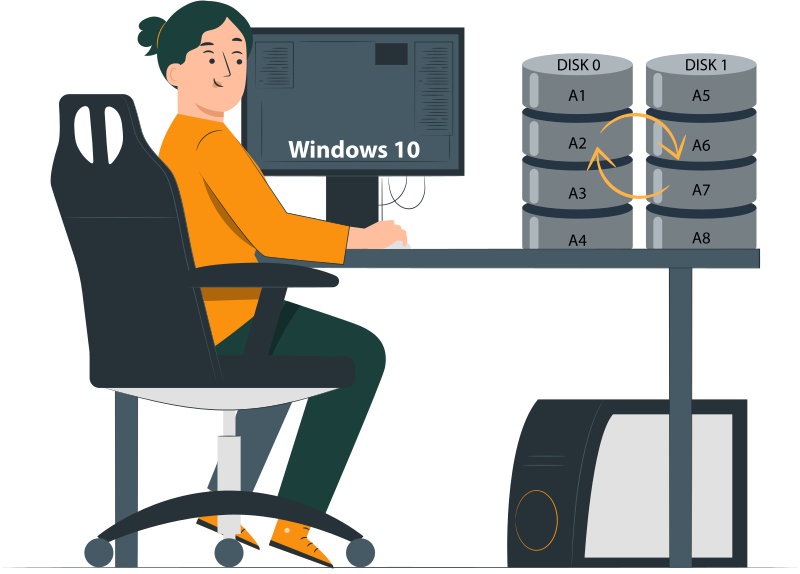
- Partial stripe availability. If most drives in the array remain accessible and only one has failed, recovery software can often reconstruct missing data from the surviving stripes. The more intact the array, the higher the chance of partial recovery.
- No overwrite after failure. Recovery is only viable if the failed array has not been reformatted, rebuilt, or written to after the incident. Any overwrite destroys the original stripe layout, making reconstruction impossible.
Example: DiskInternals RAID Recovery
- Manual RAID 0 reconstruction. Tools like DiskInternals RAID Recovery allow manual rebuilding of RAID 0 arrays by re‑creating the stripe configuration. This is useful when controller metadata is lost or corrupted.
- Stripe size and disk order detection. The software can analyze drives to detect stripe size and disk order automatically, or let administrators input known parameters. Correct identification is critical to reconstructing usable data.
- Read‑only recovery workflow. Professional recovery tools operate in read‑only mode, ensuring no further damage is done to the drives. Data is reconstructed virtually, then copied out to safe storage, preserving the original disks for forensic or secondary attempts.
Ready to get your data back?
To start recovering your data, documents, databases, images, videos, and other files from your RAID 0, RAID 1, 0+1, 1+0, 1E, RAID 4, RAID 5, 50, 5EE, 5R, RAID 6, RAID 60, RAIDZ, RAIDZ2, and JBOD, press the FREE DOWNLOAD button to get the latest version of DiskInternals RAID Recovery® and begin the step-by-step recovery process. You can preview all recovered files absolutely for free. To check the current prices, please press the Get Prices button. If you need any assistance, please feel free to contact Technical Support. The team is here to help you get your data back!
Need to Verify Your RAID Setup?
Use our RAID Calculator to quickly understand your array configuration and find the best recovery approach. It’s simple, accurate, and can save you valuable time before starting data recovery.